
Inventory & Purchasing
Gauge Buddy knows every piece of track in your layout. Inventory and Purchasing turns that into a shopping list that allows for what you already own, how track is packed, and how flexible track has to be cut.
Choose Layout → Inventory and Purchasing. The sheet has four sections.
Stock
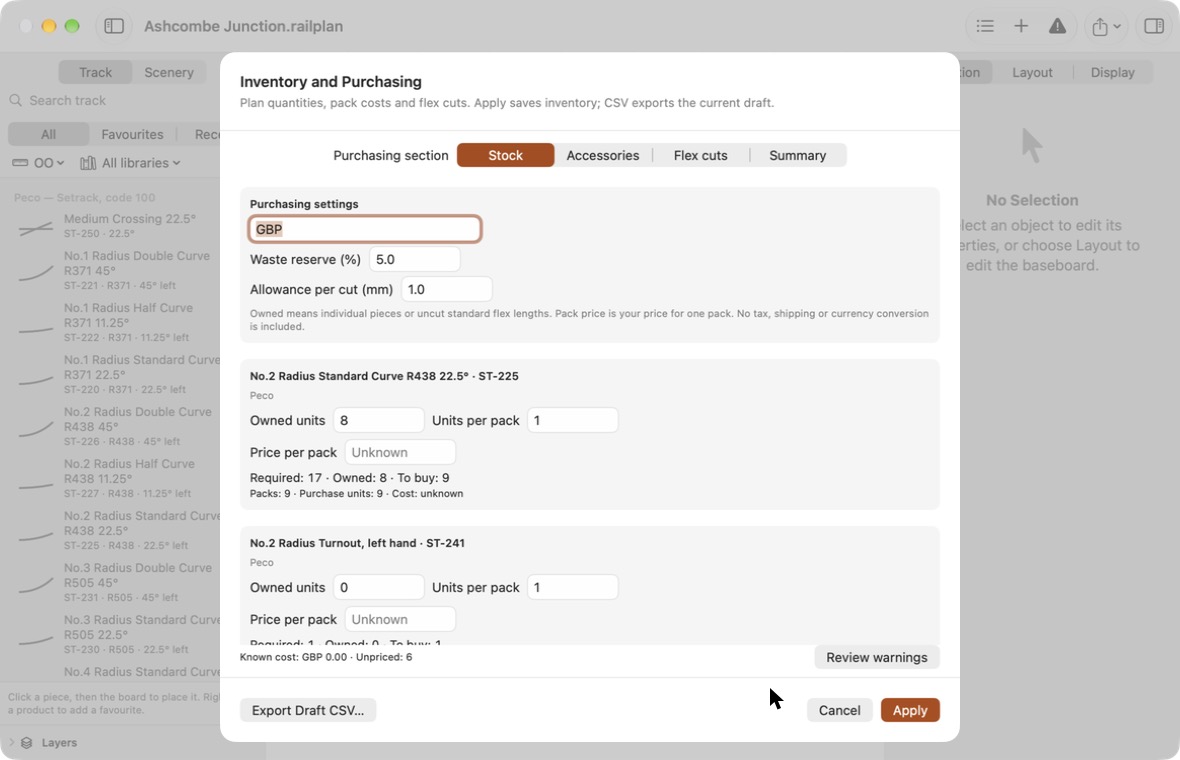
At the top are the settings for the whole plan:
| Setting | Meaning |
|---|---|
| Currency | A label for your prices, such as GBP. |
| Waste reserve (%) | Extra flexible track to allow for mistakes and trimming. |
| Allowance per cut (mm) | Length lost each time flexible track is cut. |
Below, each product used in the layout has its own card:
| Field | Meaning |
|---|---|
| Owned units | How many you already have. For flexible track, count uncut standard lengths. |
| Units per pack | How many come in a pack. |
| Price per pack | What you pay for one pack. Leave it empty if you do not know; enter 0 if it is free. |
Each card shows how many are required, how many you own, and how many to buy.
For flexible track you can also list owned offcuts, so shorter lengths you already have are used before new track is bought.
Accessories
Accessories are everything that is not track: rail joiners, point motors, track pins.
Click Add Accessory, give it a name, and optionally a product code and supplier. The Quantity basis decides how many you need:
| Basis | Quantity is |
|---|---|
| Manual quantity | The number you type. |
| Per track joint | Multiplied by the number of joints in the layout. |
| Per turnout | Multiplied by the number of turnouts. |
| Per fixed piece | Multiplied by the number of sectional pieces. |
| Per flex run | Multiplied by the number of flexible runs. |
Two rail joiners per joint and one point motor per turnout are typical.
Flex cuts
This section shows how each flexible run will be cut from standard lengths.
The plan places the longest cuts first, uses your owned offcuts and owned lengths before buying new ones, and reuses what is left over where it can. A run longer than a standard length is split, and the extra joints that creates are counted for your per-joint accessories.
A practical estimate
The cutting plan is a sensible working plan, not a mathematically optimal one. Decide exactly where joints fall when you build, and check them.
Summary
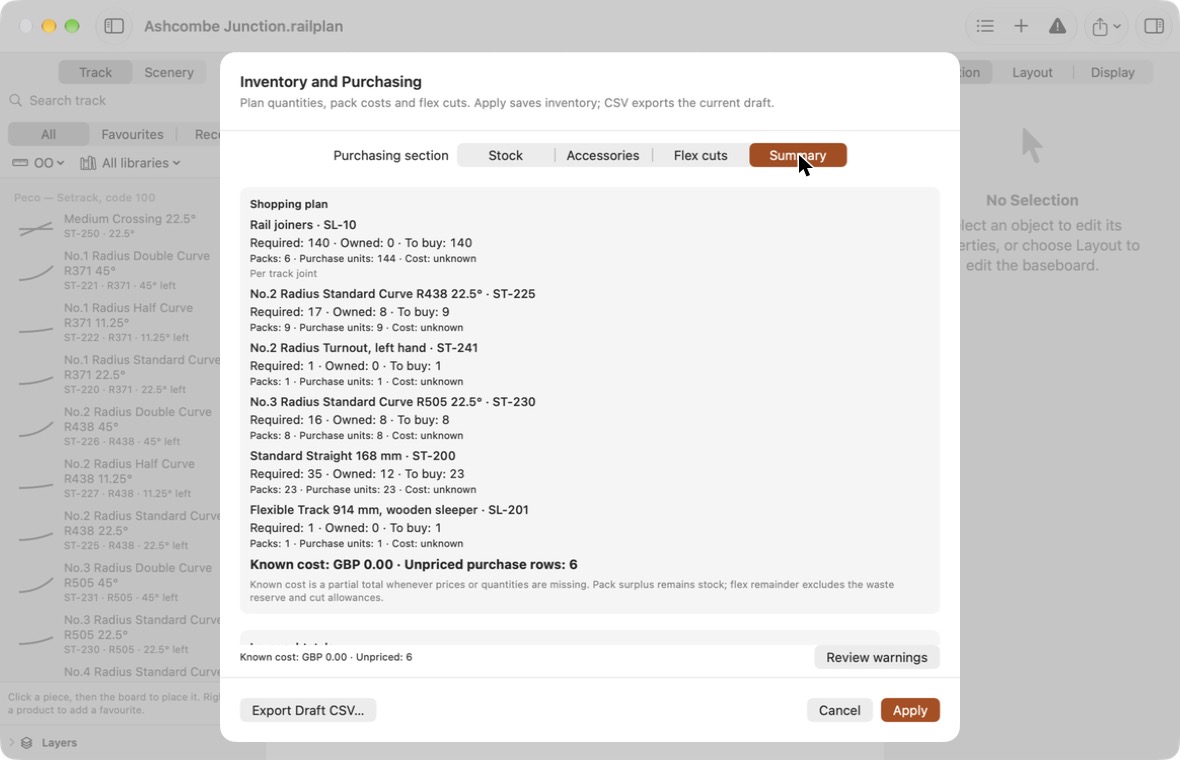
The summary lists everything to buy, with packs rounded up, the cost where you have entered prices, and subtotals by layer and by board.
Known cost is the total of the rows you have priced. If any rows are unpriced, the summary says how many, so a low total is never mistaken for a complete one.
Click Review warnings to see anything that affects the numbers, such as track from a library that is not available.
Saving and exporting
- Apply saves your stock, prices and accessories with the layout, as one step you can undo.
- Cancel discards your changes.
- Export Draft CSV… writes the shopping list as it currently appears, whether or not you have applied it.
You can also export from File → Export → Export Purchasing Plan….
What purchasing does not do
- Your owned stock is not reduced as you build. Update it yourself.
- Prices are the ones you type. Gauge Buddy does not look anything up.
- Tax, delivery and currency conversion are not included.
- Accessories and pack costs are worked out for the whole layout, not per board.
The simple parts list
If all you want is a count of each product, choose File → Export → Export Parts List…. It assumes every offcut of flexible track can be used, so it is a minimum. For a realistic shopping list, use the purchasing plan above.