
Reach Zones
A layout you cannot reach across is a layout you cannot build, clean or rescue a derailed train on. Reach zones show which parts of the board are beyond your reach from the places you can stand.
Setting up
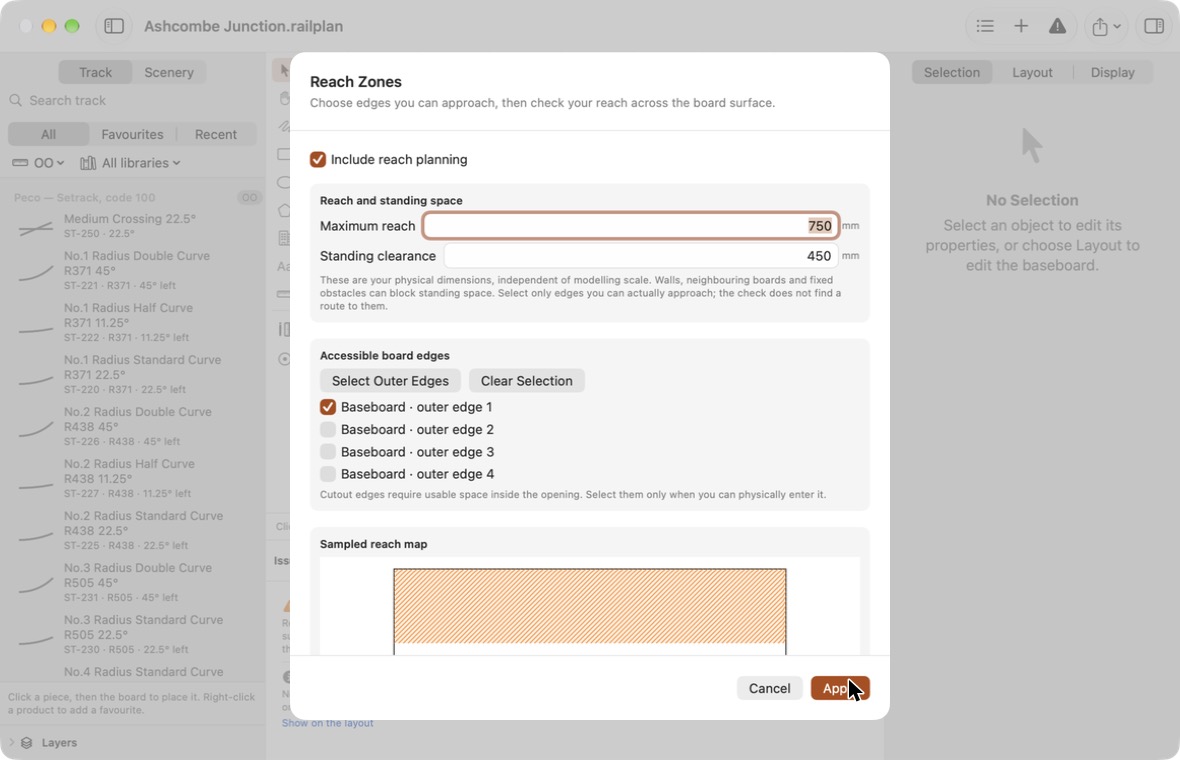
Choose Layout → Reach Zones, or click Edit Reach Zones… in the Layout tab of the inspector. Tick Include reach planning.
| Setting | Meaning |
|---|---|
| Maximum reach | How far you can comfortably reach across the board. |
| Standing clearance | How much clear floor you need to stand at an edge. |
| Accessible board edges | The edges you can actually walk up to. |
These are your own physical measurements. They are not affected by your modelling scale.
Choosing edges
Every edge of every board section is listed. Tick the ones you can approach.
- Select Outer Edges ticks every outside edge, which is where a new setup starts.
- Untick edges that are against a wall or otherwise out of reach.
- Cutout edges are only worth ticking if you can physically get into the opening, such as an operating well you can duck under into.
If you have drawn the room, walls, neighbouring boards and fixed obstacles are taken into account: an edge with no room to stand beside it does not count, even if it is ticked.
Reading the map
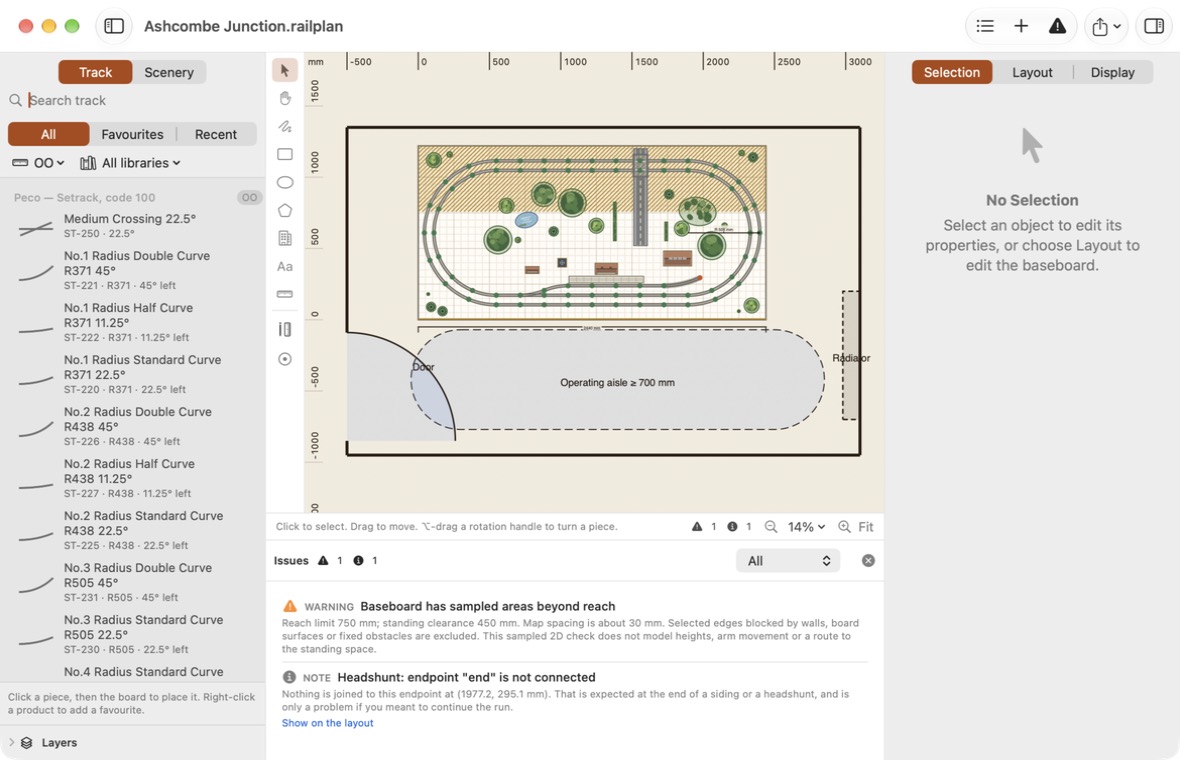
- Heavy edges have clear standing space.
- Diagonal hatching marks areas beyond your reach.
Click Apply to save. The map is drawn on the Reach layer, which you can hide from the layer list.
What is reported
If any part of the board is beyond reach, the issues list shows Baseboard has sampled areas beyond reach, even when the Reach layer is hidden.
What to do about it is your decision. Common answers are a narrower board, an access hatch (add a cutout and tick its edges), or moving the board away from a wall.
Limits of the reach map
- The map is sampled: the board is tested at points a short distance apart. Look closely at small areas between samples.
- It is a flat, top-down check. It does not model reaching over scenery, the height of the board, or how your arm moves.
- It does not check that you can walk to a standing position, only that there is room to stand there.
After changing boards
Edges belong to particular board outlines. If you reshape a board, open Reach Zones again and review which edges are ticked.
Printing the map
Tick Reach in the layer list when printing or exporting to include the map.